


Export Shopify data to a CSV file
Updated April 23, 2026
Export Shopify store data to Excel and CSV How to export your Shopify products, orders, customers, and more, to Excel using Mixtable's Excel/Google Sheets-like spreadsheet and its built-in sync with Shopify.
Export Shopify data to a CSV file
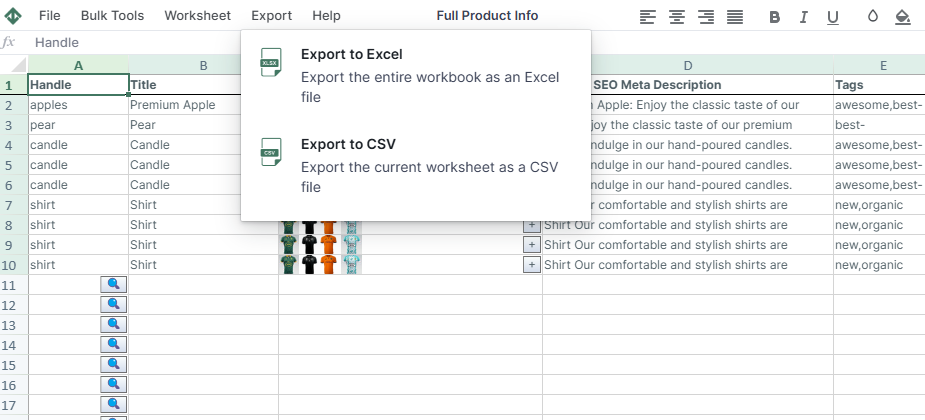
With Mixtable, you can easily export specific worksheets as CSV files. However, CSV files don’t support multiple tabs, so to export your complete spreadsheet, you’ll have to export each worksheet separately.
To do this:
- Click Import & Export in the top toolbar
- Choose the “Export to CSV” option.
- A prompt will then guide you to select a save location for your file.
Well done!
Mixtable Explore & Export is an Excel-like app built to sync data with Shopify automatically. It looks, feels, and behaves like Excel (including formulas), but runs in your browser. Find here:
- How to export Shopify products, products with metafields, and products with collections;
- How to export Shopify orders and orders with metafields;
- How to export blog posts or pages into CSV or Excel.
Because Mixtable keeps your spreadsheet updated automatically as your Shopify data changes, there’s no need to wait for manual syncs — just open and export.
Manage Shopify data in a spreadsheet.
Use Mixtable to edit, sync, analyze, import, and export your Shopify store data without CSV juggling.