

 Bulk Editor
Mixtable is an online spreadsheet, designed from the ground up to bulk edit and analyze Shopify data.
Got a question? We're here to help! Reach out at [email protected], and we'll get back
to you promptly.

When you’re editing Shopify data in Mixtable, it’s helpful to double-check your changes before they go live. Sync Preview makes this easy by temporarily hiding everything that hasn’t changed, so you can focus on exactly what’s about to sync.
This is especially useful before syncing updates to Shopify product prices, inventory quantities, tags, metafields, and order details.
When you turn on Sync Preview for a Shopify worksheet:
When you turn Sync Preview off, your full worksheet view comes back.
5 changes to sync)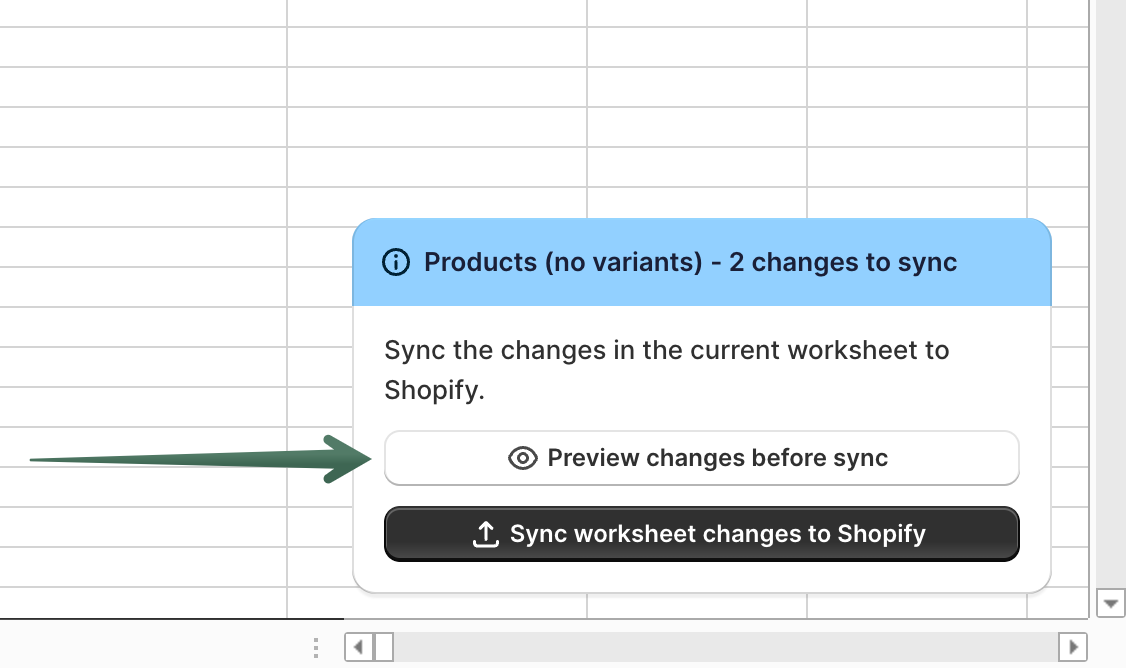
To go back to your full worksheet view, click Turn off sync preview.
I don’t see the preview button
Sync Preview only appears on Shopify worksheets when you have changes ready to sync. Make some edits first, then the preview option will show up.
Nothing shows in the preview
If you don’t have any pending changes in the worksheet, there’s nothing to preview or sync. The preview will be empty until you make edits.
You're ready!
Mixtable is an online spreadsheet designed to sync data with Shopify. It looks, feels, and behaves like Excel (including formulas), but runs in your browser. With Mixtable you can:
Best of all, you can sync changes back to Shopify with a single click. Find out more about the Mixtable suite of products here.