

 Bulk Editor
Mixtable is an online spreadsheet, designed from the ground up to bulk edit and analyze Shopify data.
Got a question? We're here to help! Reach out at [email protected], and we'll get back
to you promptly.

SEO titles and SEO descriptions (meta descriptions) are what Google often uses to understand and display your blog posts in search results. Keeping them consistent, accurate, and keyword-focused improves both rankings and click-through rates.
With the Mixtable spreadsheet editor, you can create and manage blog post SEO titles and SEO descriptions in bulk. Instead of opening and editing each post in Shopify, you can work on SEO fields in a spreadsheet and sync changes back to Shopify.
This guide focuses only on blog posts. Mixtable also supports SEO editing for Products, Collections, and Pages.
Editing blog post SEO fields in a spreadsheet makes it easier to:
Before you can edit SEO titles and descriptions, you need to load those fields into a blog post-synced worksheet.
Start by setting up a workbook in Mixtable and creating a worksheet that syncs with your Blog Post data from Shopify. Once the worksheet loads, your existing blog posts will appear in rows, with one row per post.
Note: If you don’t already have a blog post worksheet, the Blogs and Blog Posts template is a quick way to start. See Bulk edit Shopify blog posts.
To add the SEO fields:
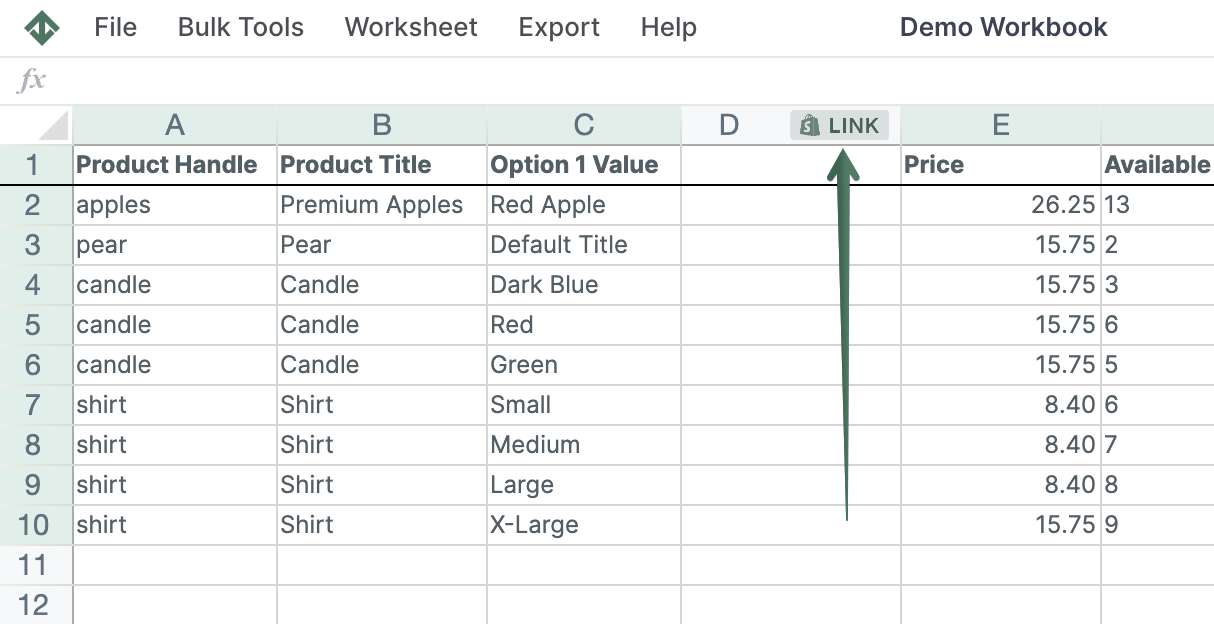
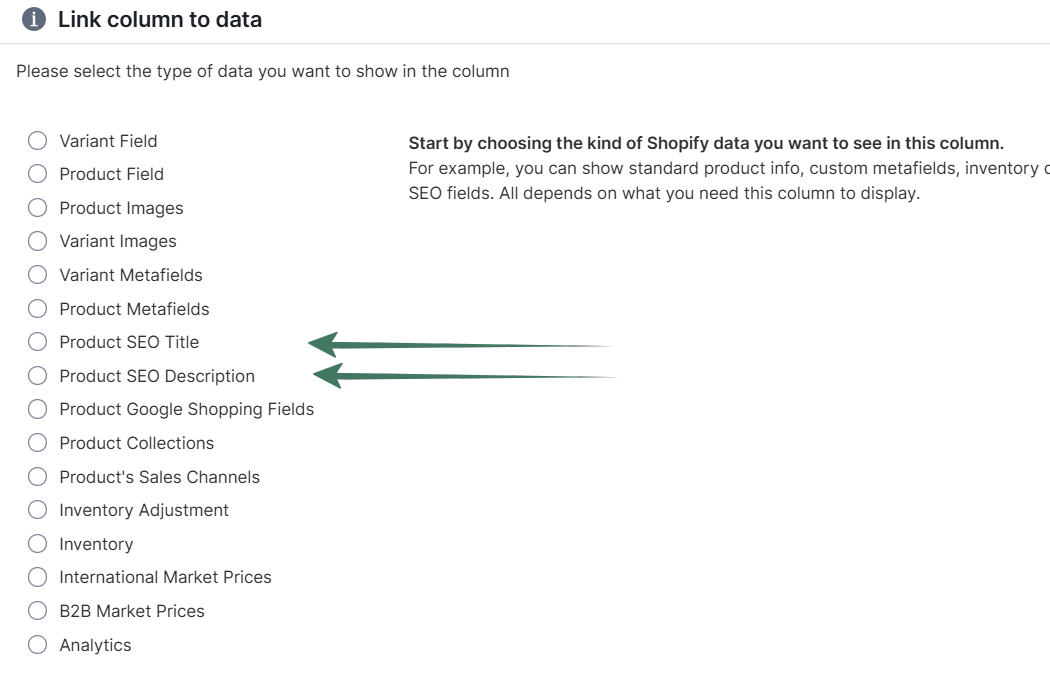
As soon as you add a field, Mixtable populates the column with your existing SEO data from Shopify. These cells are now fully editable.
Once the SEO fields are visible, you can edit them just like any other spreadsheet data:
Any edits you make are synced back to Shopify, eliminating manual post-by-post updates.
For large-scale changes, Mixtable’s Find and Replace feature is the fastest way to update blog post SEO titles and SEO descriptions.
Open Find and Replace from the toolbar. In the dialog, you can control exactly how the update is applied:
After confirming, Mixtable applies the update across the selected blog posts and syncs the results back to Shopify.
Using Mixtable as a spreadsheet editor for Shopify blog post SEO gives you visibility and control over your entire content library — without the slow workflow of editing posts one at a time in Shopify.
You're ready!
Mixtable is an online spreadsheet designed to sync data with Shopify. It looks, feels, and behaves like Excel (including formulas), but runs in your browser. With Mixtable you can:
Best of all, you can sync changes back to Shopify with a single click. Find out more about the Mixtable suite of products here.