
Mixtable Spreadsheets can now be shared with other users for easier Shopify bulk editing
On this page
Mixtable Spreadsheets Sharing
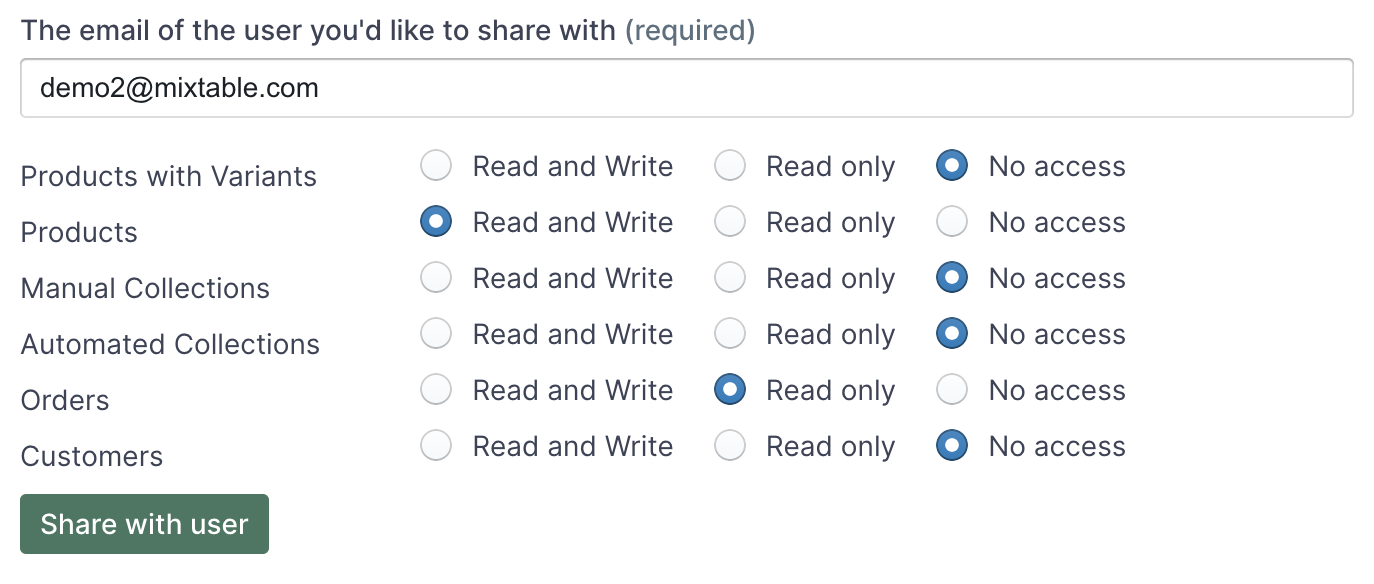
Mixtable spreadsheets can now be shared with other users. Such sharing can be granularly controlled at a worksheet level. When sharing a spreadsheet you can share access to only a few, select worksheets, and you can control what the user can do in the worksheet.
-
For each worksheet in a spreadsheet you can specify one of the following access levels
- Read and Write - users who you are sharing the spreadsheet with can both read and write to the worksheet
- Read only - the user can only view the worksheet. Can’t modify cells or add/remove columns/rows
- No access - the user can’t access the worksheet. The user doesn’t even see the worksheet in the worksheet bar
Only the “owner” of the spreadsheet has the right to do the following. Having Read and Write access to a worksheet doesn’t let you do these.
- Rename spreadsheet
- Delete worksheets
- Delete spreadsheet
- Change sharing settings

Mixtable Spreadsheet EditorBulk edit and sync products, prices, inventory, metafields, and more
Install on Shopify