Comparison of Metafield Editing Apps: Metafields Guru vs Mixtable
Managing metafields in Shopify enables the creation of a unique experience for your buyers. Adding additional information, such as colors, text fields, downloadable files, related products, variant descriptions, Google/Facebook data, banners, and more, can be a challenge unless you use a powerful solution for metafield bulk editing and data management. In this article, we will compare two such solutions - Metafields Guru and Mixtable.

| Metafields Guru | Mixtable | |
|---|---|---|
| Types of metafields that can be edited |
|
|
| Edit metafields for |
|
|
| Interface | Graphic UI | Online Spreadsheet |
| CSV import/export | Yes | Yes |
| Metafields 2.0 management | Yes | Yes |
| Category metafields management | Yes | Yes |
| Manage metafield sets | Yes | Yes (with filters) |
| WYSIWYG HTML editor for text metafields | Yes | Yes (in sidebar) |
| Metaobjects editor | Yes | Yes |
| Price |
|
|
| App store links: | Metafields Guru | Mixtable |
What is Metafields Guru Editor better at?
Metafields Guru is designed as an all-in-one metafields editor that helps Shopify merchants manage and display custom data on their storefronts via metafields. It serves as a tool for managing custom data, including product specifications, downloadable files, related products, variant descriptions, and banners. The app enables users to create, update, and delete metafields in bulk, and display them on the storefront without requiring code, aiming to help merchants build a better, more unique shopping experience.
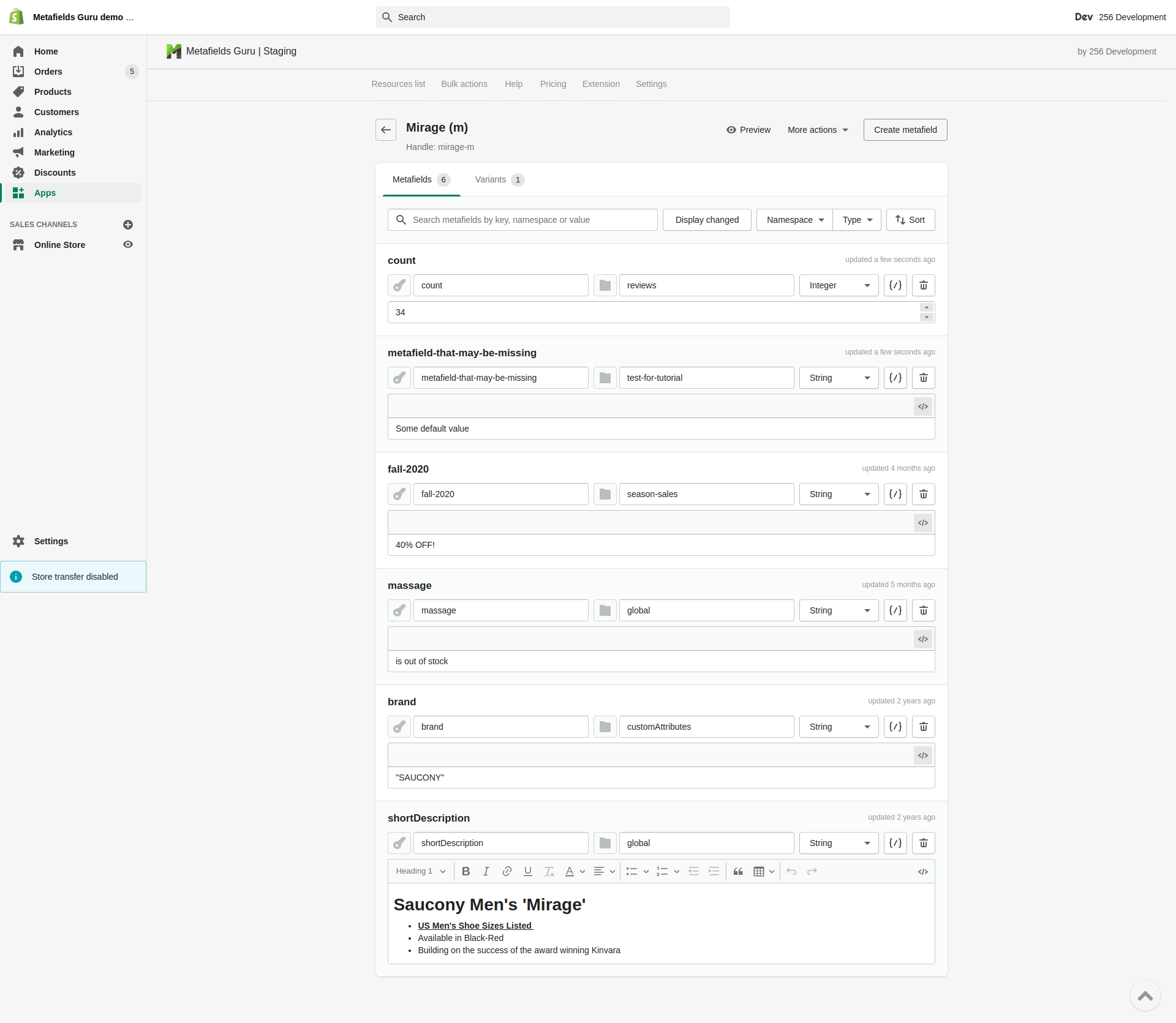
Key features of Metafields Guru include:
- Bulk creation, updating, and deletion of metafields.
- Ability to display metafields on the storefront without coding.
- Export and import metafields to/from CSV files for creating backups and migrating data.
- An intuitive UI and user-assisting features, including an Excel-like editor.
- A browser extension to manage metafields directly within the Shopify admin panel.
- Support for all metafield types, a basic metafields editor, a metaobjects editor, and a WYSIWYG HTML editor for text metafields.
- Integration with Shopify Flow, theme extension blocks, and metafield sets and definitions.
- Bulk import and export, SKU mapping, and backup capabilities are also provided as management tools.
What is Mixtable Spreadsheet Editor better at?
The Mixtable Spreadsheet Editor functions as an online spreadsheet explicitly designed to sync data with Shopify, offering a powerful solution for bulk editing various store elements. It provides the familiar look, feel, and behavior of Excel, including the use of formulas, directly within a web browser. Apart from bulk editing metafields, the app’s flexibility enables users to bulk edit products, inventory, orders, prices, tags, and more. Changes are automatically synced between the store and the spreadsheet, ensuring data accuracy and consistency.
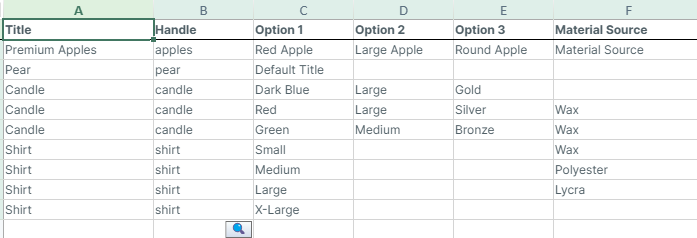
Key features of Mixtable Spreadsheet Editor include:
- An online Excel-like spreadsheet functionality for bulk editing metafields and other Shopify resources, incl. products, inventory, prices, tags, orders, and more.
- Features like bulk find and replace, filtering, price editing, tag changing, and image uploading.
- Automatic syncing of store changes to the Mixtable spreadsheet, keeping data up to date.
- Sync changes back to Shopify with a single click.
- It supports free export to CSV and Excel (.xlsx).
- Connects natively with Mixtable Analytics Spreadsheet, which lets you build reports using Shopify data. You can create dedicated reporting worksheets or blend Shopify data with other data sources—all within the same spreadsheet.
Both Metafields Guru and Mixtable are powerful tools for managing metafields. To determine which is best for your needs, we recommend trying their free versions.