Export your Shopify data to Excel or CSV. For free.

Build a live spreadsheet of any Shopify data, shape it however you want, then one-click export to XLSX or CSV. Accessing your own data shouldn't cost money. So it doesn't.

Free forever No credit card No row limits
products-for-supplier.mixtable live
Products Variants Inventory Metafields
#
Title
Price
Stock
Vendor
Status
1
Classic Oxford Shirt
$79.00
128
Acme
active
2
Linen Trouser · Stone
$119.00
42
Acme
active
3
Merino Crew Sweater
$149.00
68
Acme
active
4
Corduroy Cap · Ochre
$45.00
210
Acme
active
5
Cotton Tee · Multi
$29.00
512
Acme
active
Export this spreadsheet
X Excel (.xlsx) C CSV
Free forever Live-synced to Shopify

You shouldn't have to pay to access your own data.

Your products, your orders, your customers. All of it belongs to you. So Mixtable Explore & Export is free forever, with no row limits, no export caps, no credit card. Other export apps charge $20 to $200 a month for this. We don't.

A real spreadsheet, not just an export button.

Mixtable Explore & Export is the full Mixtable spreadsheet, live-synced to your store. Shape it however you want. When you're ready, one click and you have an XLSX or CSV file.

Live-synced, always current.

Your spreadsheet updates the moment Shopify changes. No refresh button, no scheduled syncs. Open it, export it, and you have today's data.

Map any data to any column.

Pick the data types. Pick the columns. Pick the order. Paint backgrounds, change widths, freeze panes. Make the spreadsheet you actually wanted.

One-click XLSX or CSV.

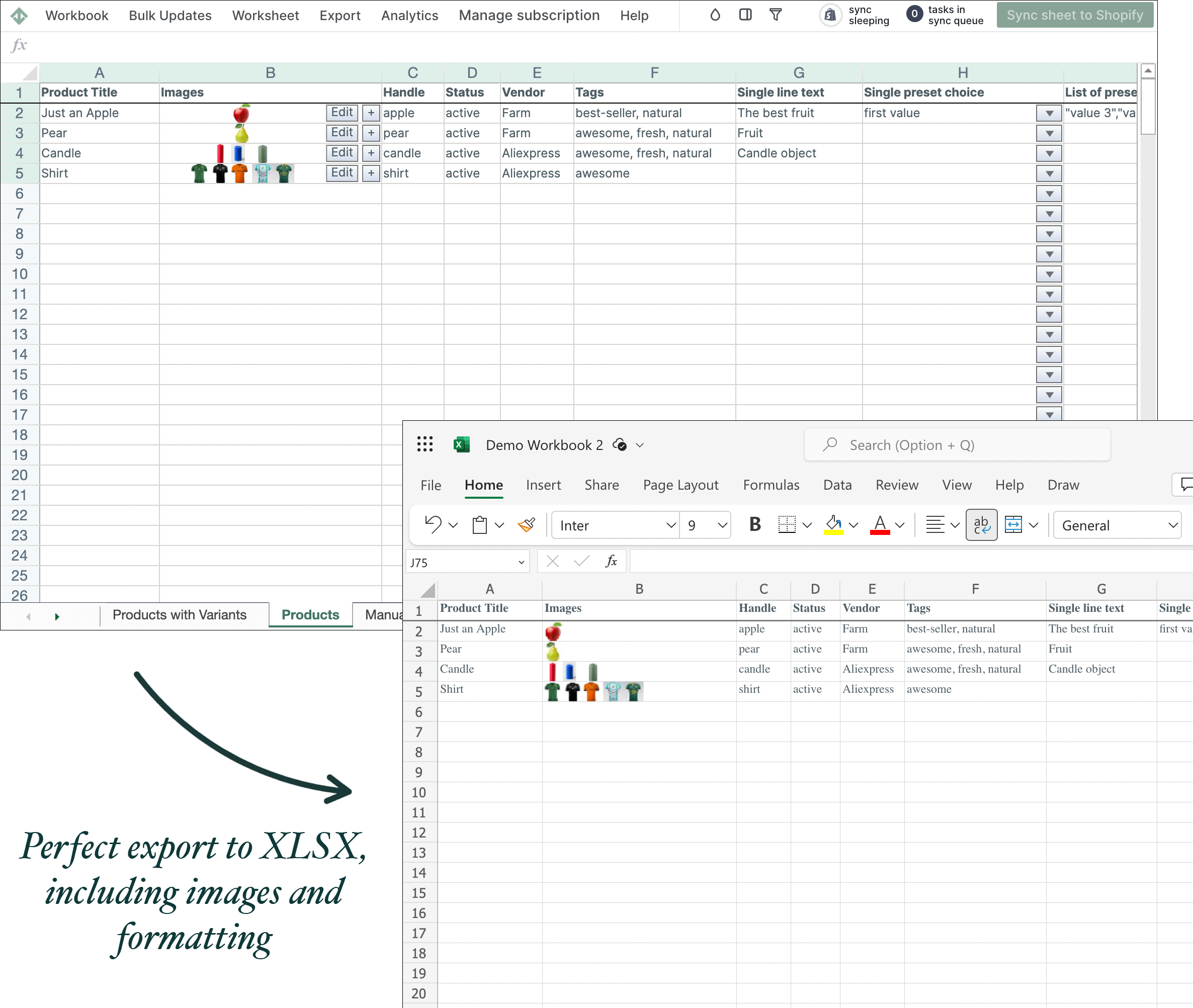
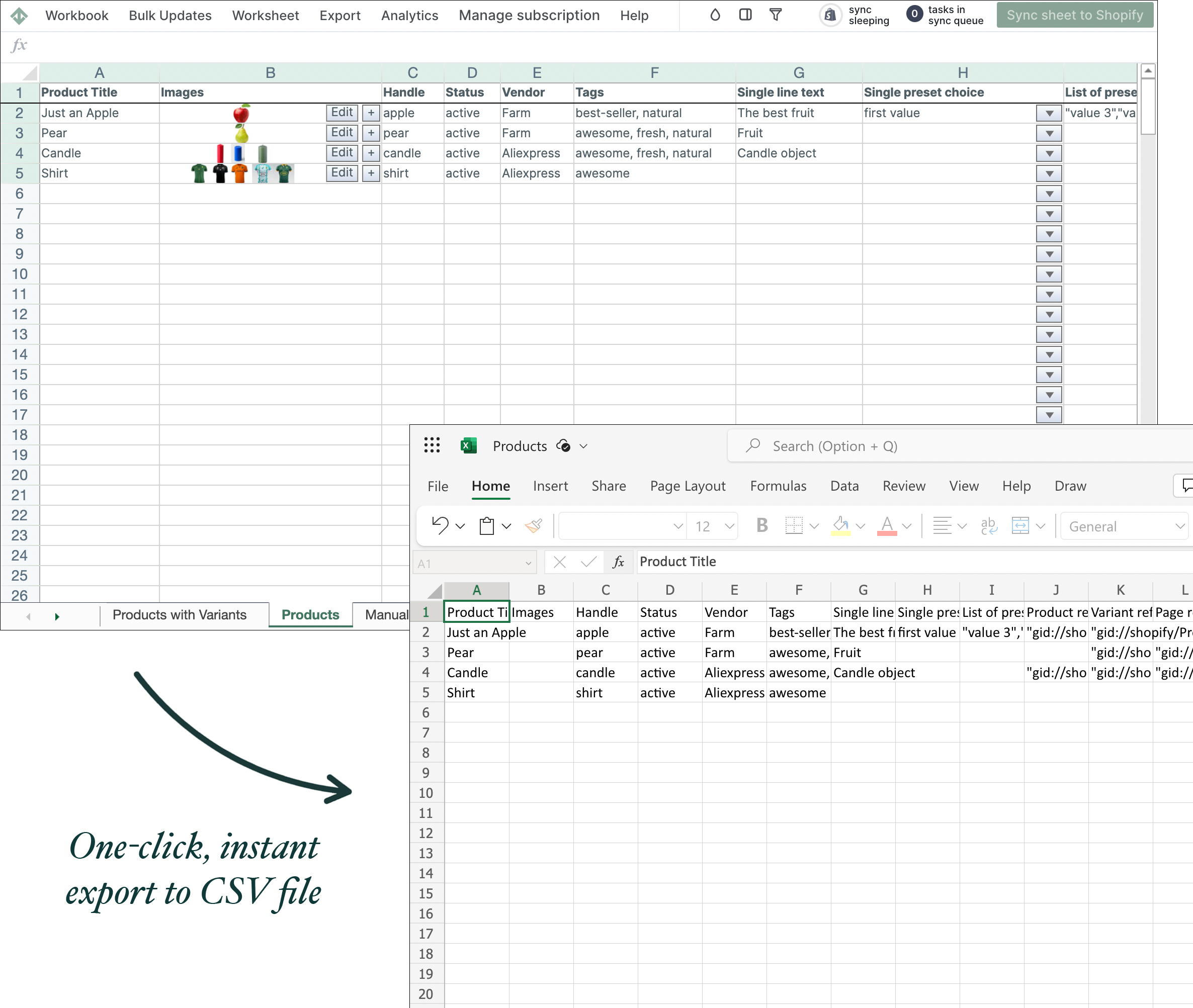
Export to a real Excel file with formatting preserved, or a clean CSV for the current tab. No conversions, no data loss, no waiting.

Fully customizable

Build the export you wish Shopify's export had.

Choose the exact fields you want. Drop them in the order that makes sense. Rename columns for your supplier. Save the layout, reuse it forever.

  • Pick columns from any data type: products, variants, metafields, orders, line items, refunds, inventory, customers, collections, and more
  • Reorder columns and freeze rows. The spreadsheet is yours.
  • Colour cells, set column widths, set number formats. Excel keeps all of it.
  • Set up your spreadsheet once and just open it next month to get the new month's report.

Configure columns · Products

14 selected
Available (54)
Body HTML
Published scope
Template suffix
Online store URL
SEO title
SEO description
Gift card
In your sheet
Title
Handle
Vendor
Product type
Price
Inventory
Status
XLSX done right

A real Excel file. Not a CSV with a .xlsx extension.

Other "Excel exports" just rename a CSV. Ours is a true Excel file with your formatting intact, ready to send to a supplier, a buyer, or your team without a single cleanup step.

  • Cell background colours preserved
  • Column widths preserved
  • Number, date, and currency formats preserved
  • Multiple worksheets in a single file (one tab per data type)
  • Frozen rows and filters come across too
Other exporters
C products.csv (renamed .xlsx)
TitlePriceStock
Oxford Shirt79128
Linen Trouser11942
Merino Sweater14968
Corduroy Cap45210
Cotton Tee29512
Mixtable Explore & Export
X products-for-supplier.xlsx
TitlePriceStock
Oxford Shirt$79.00128
Linen Trouser$119.0042
Merino Sweater$149.0068
Corduroy Cap$45.00210
Cotton Tee$29.00512

Every Shopify data type, available to export.

Products, variants, orders, customers, metafields, pages, refunds, and more are available in one live spreadsheet.

Products Variants Collections Metafields Inventory Product images Customers Orders Orders with line items Refunds Refund line items Order transactions Blogs Blog posts Pages

The full Mixtable spreadsheet. Minus two things.

Explore & Export is the same spreadsheet engine as Bulk Editor and Analytics, with two deliberate differences. Everything else is identical.

Bulk Editor

Edit Shopify data with formulas, sync changes back to your store.

  • Live-synced spreadsheet
  • All data types
  • Excel formulas
  • Sync edits back to Shopify
  • XLSX and CSV export

Analytics

Drop any Shopify metric into any cell. Always current.

  • Live-synced spreadsheet
  • Shopify analytics metrics
  • Excel formulas
  • Metric filters (segment, country, etc.)
  • XLSX and CSV export

Explore & Export · you are here

The full Mixtable spreadsheet, read-only, for free.

  • Live-synced spreadsheet
  • All data types
  • Excel formulas
  • Sync edits back to Shopify
  • Analytics metrics
  • XLSX and CSV export

Why merchants pick Mixtable Explore & Export.

If you're exporting Shopify data today, here's how the options compare. Everyone else charges for this. We don't.

Mixtable Explore & Export Shopify native export Matrixify / Excelify Exportify / EZ Exporter
Price Free forever Free $20–$200/mo $15–$200/mo
Live spreadsheet, always current Yes On-demand only Job-based Job-based
All Shopify data types Yes Limited Yes Most
Pick & reorder columns Any column, any order Fixed columns Yes Yes
Real XLSX with formatting Colors, widths, formats preserved CSV only XLSX, basic XLSX, basic
Multiple worksheets in one XLSX Yes One file per entity Sometimes No
Row limits None None Free tier capped Plan-based
Setup time 2 minutes, then 1 click 1 click, limited data Configure jobs Configure jobs
FREE FOREVER

Stop paying for access to your own data.

Install Mixtable Explore & Export free on your Shopify store. No credit card, no row caps. Just your data, in the spreadsheet you want.