Comparison of Price Editing Apps: NA Bulk Price Editor vs. Mixtable
For Shopify merchants, efficiently managing product pricing is crucial for maintaining competitiveness and profitability. Manual price adjustments, however, can be time-consuming and prone to errors, especially for stores with large inventories or frequent sales. This is where dedicated price editor applications become handy, offering powerful tools for bulk modifications, scheduling, and strategic pricing. In this article, we’ll compare two prominent Shopify apps designed to streamline this process: NA Bulk Price Editor and Mixtable Spreadsheet Editor, exploring their distinct approaches to handling your store’s pricing needs.

High-level comparison of Shopify bulk price editors
Here’s a high-level comparison of the price editing functionalities of Mixtable Spreadsheet Editor and NA Bulk Price Editor:
| NA Bulk Price Editor | Mixtable | |
|---|---|---|
| Application interface | Graphic UI | Online Spreadsheet |
| Increase/decrease prices by percentage (e.g. +/-20%) | Yes | Yes |
| Increase/decrease prices by flat amount (e.g. +/-$10) | Yes | Yes |
| Manage standard and international “compare-at” prices | Yes | Yes |
| Discount products by collection | Yes | Yes |
| Discount products by tag | Yes | Yes |
| Discount products by vendor | Yes | Yes |
| Discount products by type | Yes | Yes |
| Discount products by market | Yes | Yes |
| Schedule price changes | Yes | No |
| CSV import/export | Yes | Yes |
| Excel import/export | No | Yes |
| Price |
|
|
| App store links: | NA Bulk Price Editor | Mixtable |
What is the NA Bulk Price Editor better at?
The NA Bulk Price Editor is a specialized Shopify application designed to streamline bulk price adjustments. It aims to eliminate the time-consuming process of manually updating individual prices, discount codes, or traditional spreadsheet edits with import/export. This app enables merchants to easily update regular prices and “compare-at” prices for multiple products simultaneously. It is particularly noted for its ability to run, schedule, and revert price change jobs, making it ideal for managing sales, promotions, or general price updates, such as tariff increases or decreases. The app integrates well with Shopify Markets, supporting international relative and fixed pricing.
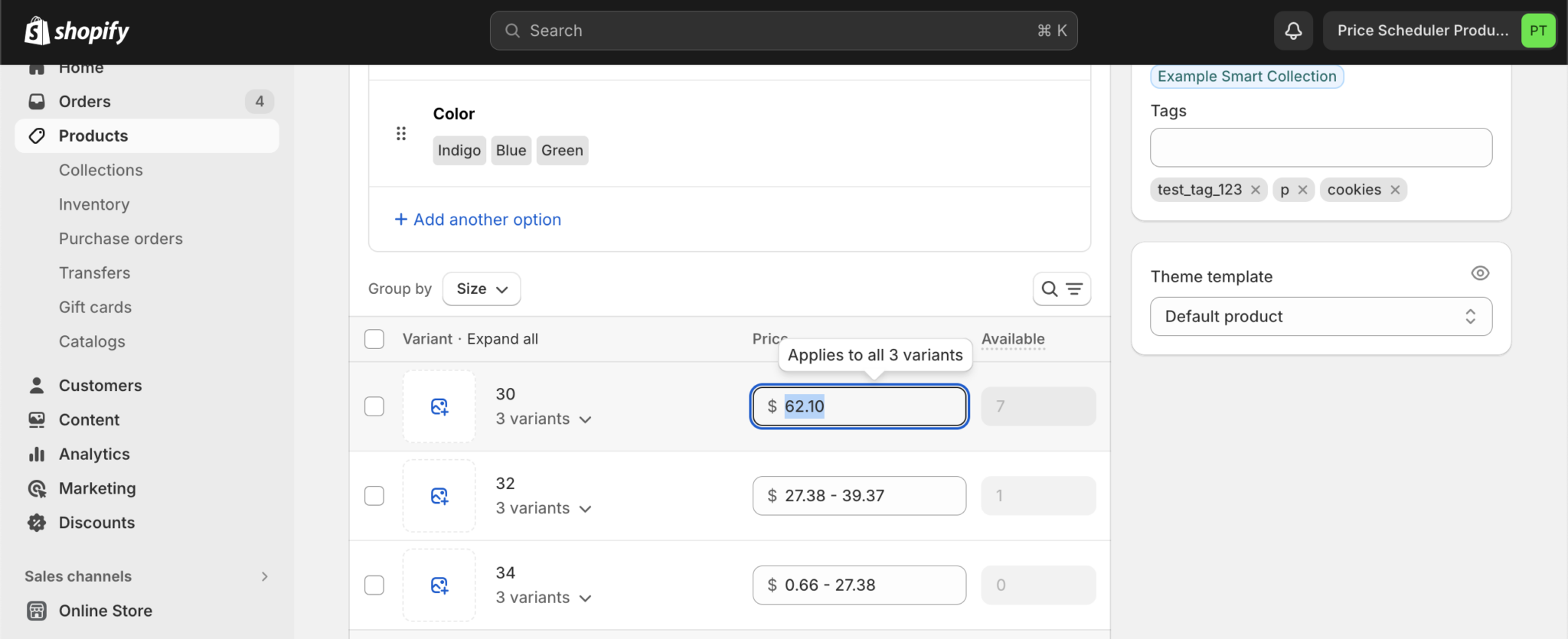
Key features of NA Bulk Price Editor include:
- Allows users to increase or decrease prices by a percentage or a flat amount (e.g., +10%, -$10).
- Enables the addition, removal, or updating of “compare-at” prices (shown with a strike-through), which also works across different international Markets.
- Provides scheduling capabilities for price changes in advance, helping to manage sales and promotions.
- Offers flexible product selection through filters by collection, tag, vendor, type, title, and market.
- Supports setting prices from a CSV file or based on unit cost/margin, and allows applying tags to products.
What Mixtable Spreadsheet Editor is better at?
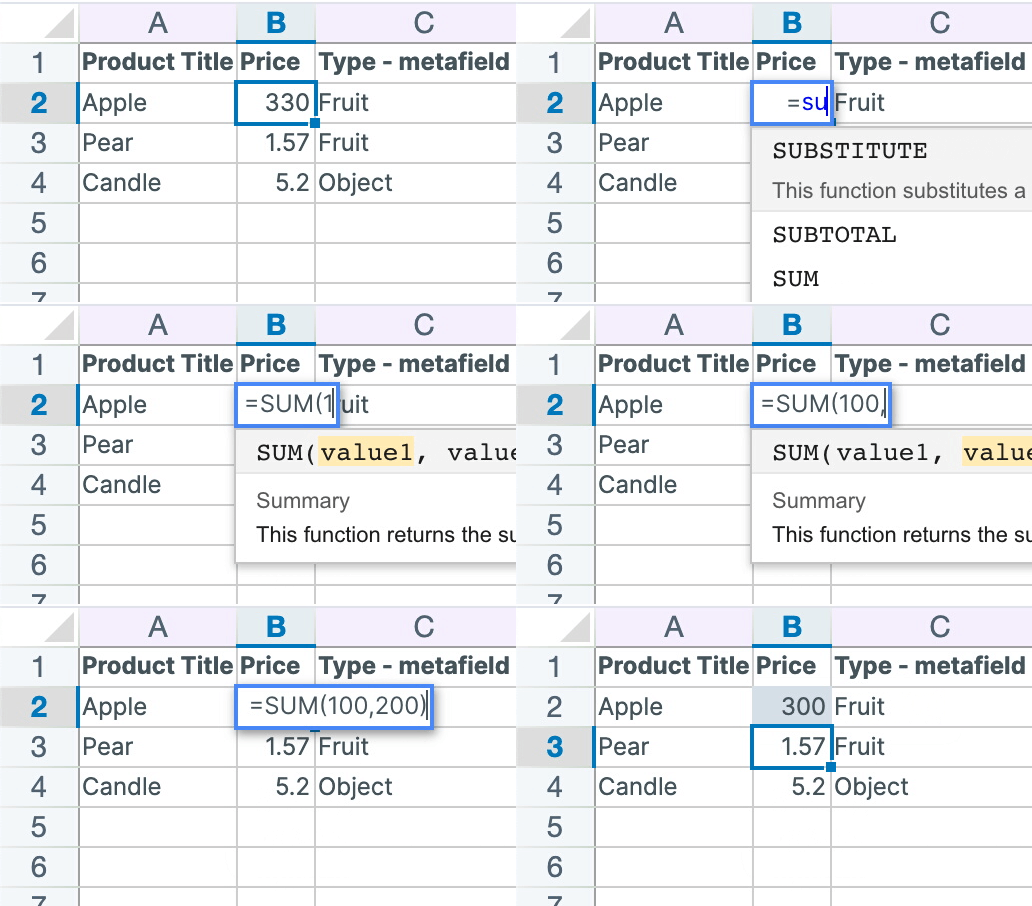
Mixtable Spreadsheet Editor is an online spreadsheet application designed to sync data seamlessly with Shopify. It offers the familiar interface and functionality of Excel, including the use of formulas, making it intuitive for users accustomed to spreadsheet environments. This app is a comprehensive tool for bulk editing various Shopify data, and apart from prices, it also helps edit products, metafields, inventory, orders, and more. It ensures that changes made within your Shopify store are automatically reflected in your Mixtable spreadsheet, and you can push your spreadsheet changes back to Shopify with a single click, providing a robust two-way synchronization.
Key features of Mixtable include:
- Mixtable functions as an online Excel-like spreadsheet with formula support, filtering, and find-replace options.
- Robust price editing tool incl. price changes with formulas, +/- percentage or a flat sum.
- Update international prices and compare-at prices.
- Supports dynamic price changes.
- Filter products for price changes by tags, metafields, collections, titles, etc.
- Offers specific support for editing prices for both B2C and B2B customers.
- Enables bulk editing of diverse Shopify resources, such as products, variants, orders, images, SKU and barcodes, tags, descriptions, inventory, metafields, and collections.
- Supports two-way automatic data synchronization between Shopify and the Mixtable spreadsheet.
- Connects natively with Mixtable Analytics Spreadsheet, which lets you build reports using Shopify data. You can create dedicated reporting worksheets or blend Shopify data with other data sources—all within the same spreadsheet.
Both Mixtable Spreadsheet Editor and NA Bulk Price Editor offer significant value to Shopify merchants seeking to optimize their pricing strategies. To determine which is best for your needs, we recommend trying their free versions.