Comparing Shopify Bulk Editing Apps - Hextom vs. Mixtable
For many Shopify merchants, managing products directly through the platform’s standard administrative tools often leads to significant time consumption and operational inefficiencies, as they are prone to errors and difficult to revert. To counter this, specialized applications like Hextom: Bulk Product Edit and Mixtable Spreadsheet Editor have emerged as essential tools, both aiming to streamline and automate the bulk editing of product data, significantly saving merchants’ time
This comparison will delve into their unique features, user experiences, and ideal use cases to help store owners make an informed decision.
Which one to choose: Hextom vs. Mixtable?
With numerous overlapping features, selecting between Hextom Bulk Product Edit and Mixtable Spreadsheet Editor can be a challenging task.
This high-level comparison table breaks down their similarities and key differences, enabling you to identify which app is best suited to your needs quickly.
| Hextom Bulk Product Edit | Mixtable Spreadsheet Editor | |
|---|---|---|
| What’s similar |
|
|
| Differences |
|
|
| Used by |
|
|
| Popular for |
|
|
| Price |
|
|
Detailed Comparison of Bulk Editing Apps Hextom vs. Mixtable
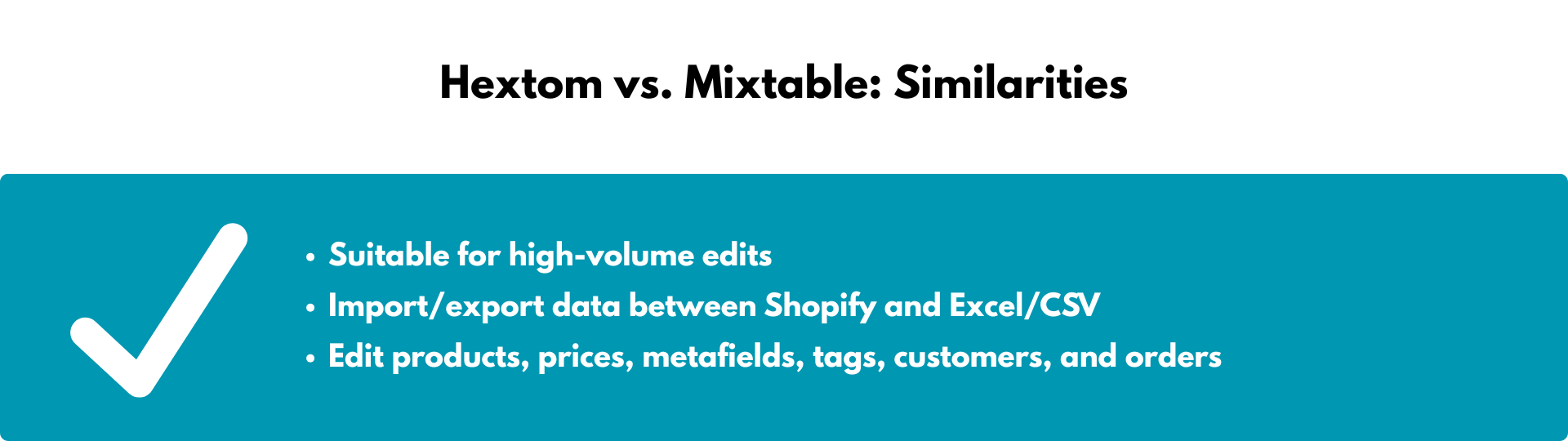
Hextom and Mixtable: Similarities
Store owners use both Hextom Bulk Product Edit and Mixtable Spreadsheet Editor for:
- Suitable for high-volume edits
Both applications can handle a large number of edits. Hextom’s plans start at 10 products for the free plan and go up to 50,000 SKUs on the Advanced plan ($49.99). Mixtable spreadsheet editor does not limit you by the number of products and will import edits for as many products as you have. - Edit products, prices, metafields, tags, orders, and customers
Both applications are designed for bulk editing products and all their components, but unlike Ablestar, Hextom, and Mixtable can also edit customer and order data. - Import/export data between Shopify and Excel/CSV -
Both apps expand on this core Shopify functionality, making it easier for merchants to import and export Excel or CSV files with custom data. Mixtable, being an online spreadsheet, makes it easier to customize the columns of the data you wish to export and saves your settings for future exports.
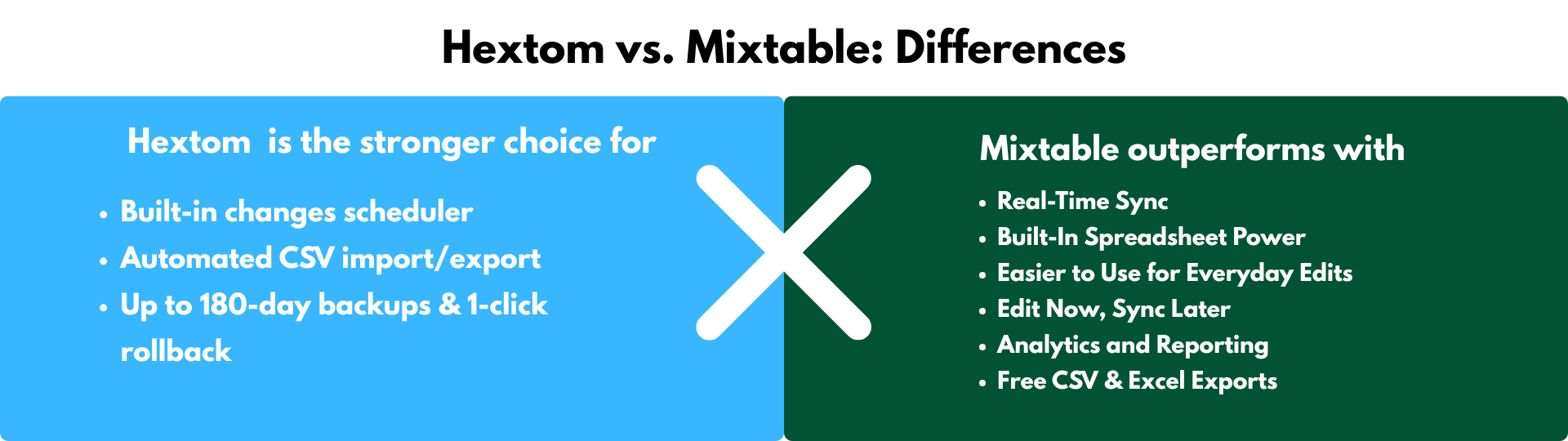
Hextom vs. Mixtable: Differences
The two applications primarily differ in their user interface and advanced feature sets. Therefore, a store owner’s choice should depend on their specific priorities, which we discuss below.
When Hextom is the stronger choice
Hextom is purpose-built for “set-and-forget” product updates at massive scale. If you rarely need a visual spreadsheet but frequently run scripted price changes or seasonal launches, Hextom’s task engine can be hard to beat.
1. Built-in scheduler:
Queue edits daily, weekly, or for a future launch. Hands-off discount cycles, new-season rollouts, and inventory syncs
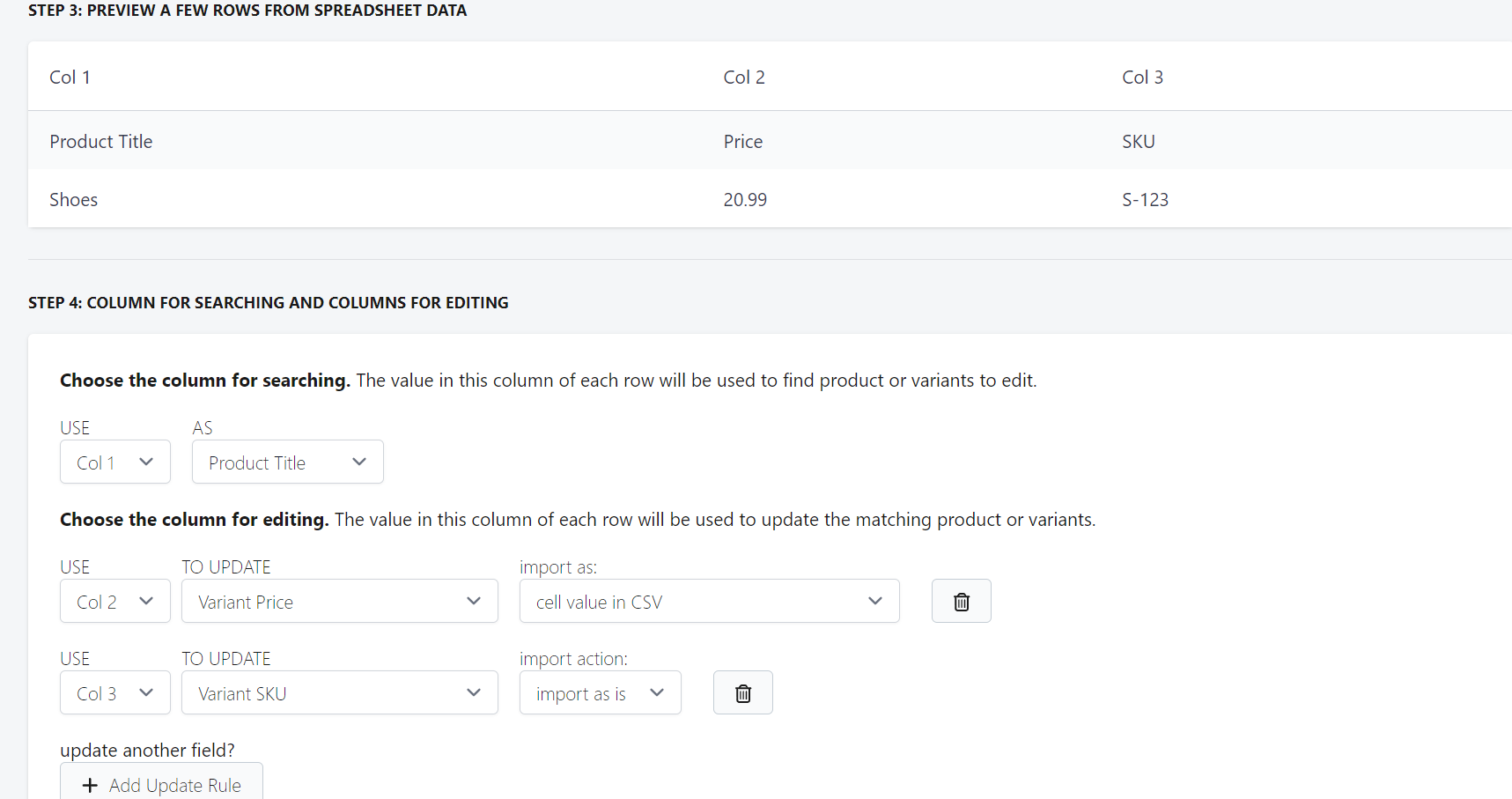
2. Automated CSV import/export:
Accepts pre-formatted CSVs and pushes changes server-side. Developers can feed edits from ERPs or PIMs without opening the UI
3. 30- to 180-day backups & 1-click rollback:
Full audit trail and instant undo across every plan. Peace of mind when bulk-editing mission-critical data
Stores that treat bulk editing as a periodic batch job (e.g., weekly price updates) and prioritize automated scheduling, infinite rollback, and low cost per variant edited will benefit from an app like Hextom.
When Mixtable outperforms
Mixtable transforms your Shopify data into an Excel-style spreadsheet that syncs in real-time—no import/export loops—and layers analytics on top. If you prefer working in a spreadsheet and want a single tool for editing, reporting, and exporting, Mixtable is the modern all-in-one solution.
1. Real-Time Sync
Mixtable syncs with Shopify automatically. Any change in Shopify appears in your spreadsheet instantly, and any edits you make can be pushed back to Shopify with one click—no need for file exports or imports. Power users and developers can combine data, write calculations, and spot errors instantly—no waiting for a task to complete
2. Built-In Spreadsheet Power
Mixtable feels like Excel inside your Shopify store. You can use formulas, like in Excel, e.g. SUM, VLOOKUP, etc., filters, and calculations directly in the sheet—then sync the results to Shopify. No switching tools or manual formatting.
3. Easier to Use for Everyday Edits
Add variants, tags, or collections using dropdowns and built-in pickers. You don’t need to memorize or copy-paste Shopify IDs—Mixtable helps you do it faster and with fewer errors.
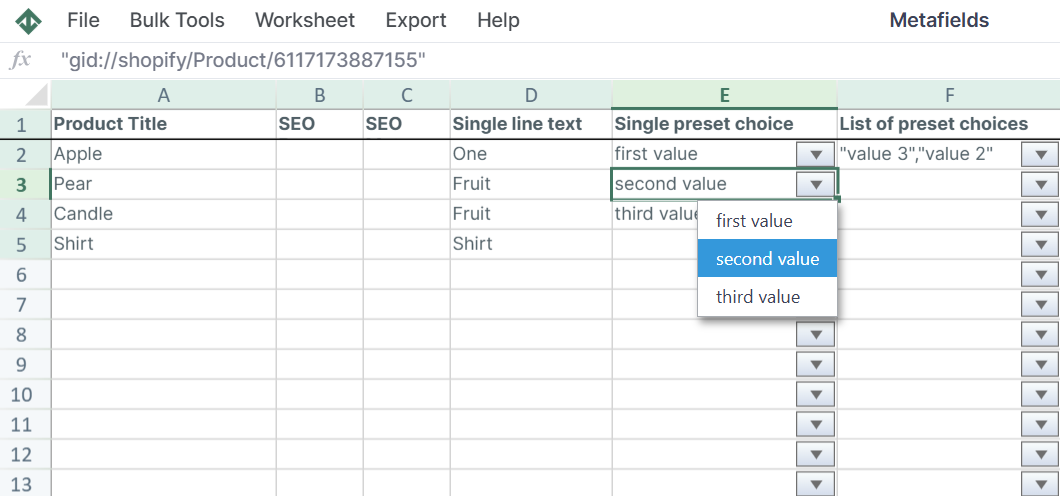
4. Edit Now, Sync Later
You can make multiple small changes across products, then review and sync them all at once. No need to prep a massive file in advance.
5. Analytics and Reporting
Mixtable includes Mixtable Analytics Spreadsheet that lets you build reports using Shopify data. You can create dedicated reporting worksheets or blend Shopify data with other data sources—all within the same spreadsheet.
6. Free CSV & Excel Exports
You can export any worksheet to CSV or Excel at no extra cost. Developer-friendly and JSON-ready. Perfect for sharing with your team or archiving changes.
Merchants and dev teams who live in spreadsheets need granular control (formulas, filters, ad-hoc pivots) or want a single workspace that handles editing and reporting while keeping an always-on export option would benefit greatly from Mixtable.
Pricing comparison: Hextom vs. Mixtable
In terms of pricing, Hextom and Mixtable both have FREE plans. While Hextom’s plans’ prices vary depending on the features they include, all Mixtable plans have the same features, but the pricing is tied to the Shopify tier that you use.
-
Hextom’s pricing varies based on features
- Demo ($0) - 10 products per task
- Basic ($9.99/month)
- Professional ($19.99/month)
- Advanced ($49.99/month)
-
Mixtable’s pricing is based on your Shopify plan - All paid plans have the same features and offer a free trial. The FREE plan provides import/export functionality, enabling you to customize the data you want to export.
- Free ($0) - unlimited export/import jobs
- Basic ($15/month)
- Shopify & Advanced ($35/month)
- Shopify Plus ($49/month)
Conclusion
Choose Hextom for high-volume, fire-and-forget batch jobs with robust scheduling and rollback. Choose Mixtable when you want an Excel-grade experience that unifies bulk editing, free exporting, and live analytics—especially if you’re already a spreadsheet power user.