Comparing Shopify Bulk Editing Apps - Ablestar vs. Mixtable
For merchants, managing products directly through Shopify’s standard admin tools often leads to huge time consumption and frequently results in errors, especially when dealing with large product catalogs. Beyond the sheer volume of work, complex product data management tasks, such as editing metafields, international pricing, or making highly specific bulk changes across thousands of SKUs, are often difficult or even impossible to accomplish within Shopify’s core system, highlighting significant limitations and the need for specialized tools.
This comparison will examine the specific strengths and capabilities of two of the most renowned bulk editing tools: Ablestar Bulk Product Editor and Mixtable Spreadsheet Editor. The goal is to help you determine which one best fits your unique store management needs.
Which one to choose: Ablestar vs. Mixtable?
With numerous overlapping features, selecting between Ablestar Bulk Product Editor and Mixtable Spreadsheet Editor can be a challenging task.
This high-level comparison table breaks down their similarities and key differences, enabling you to quickly identify which app is best suited to your needs.
| Ablestar Bulk Product Editor | Mixtable Spreadsheet Editor | |
|---|---|---|
| What’s similar |
|
|
| Differences |
|
|
| Used by |
|
|
| Popular for |
|
|
| Price |
|
|
| App store links | Ablestar | Mixtable |
Detailed Comparison of Bulk Editing Apps Ablestar vs. Mixtable
Ablestar and Mixtable: Similarities
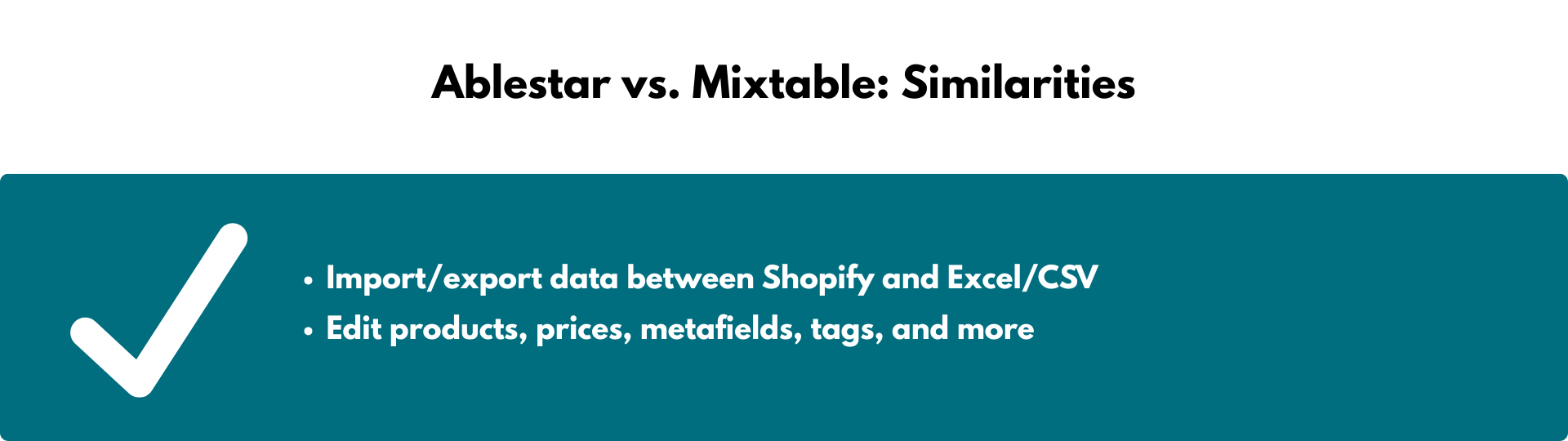
Store owners use both Ablestar Bulk Product Editor and Mixtable Spreadsheet Editor for:
- Edit products, prices, metafields, tags, and more
Both applications are Shopify apps specifically designed for bulk editing products. They serve as essential tools for managing product data on a large scale. Ablestar, however, unlike Mixtable and Hextom, cannot edit customer and order data. - Import/export data between Shopify and Excel/CSV
Both apps expand on this core Shopify functionality, making it easier for merchants to import and export Excel or CSV files with custom data. Mixtable, being an online spreadsheet, makes it easier to customize the columns of the data you wish to export and saves your settings for future exports.
Ablestar vs. Mixtable: Differences
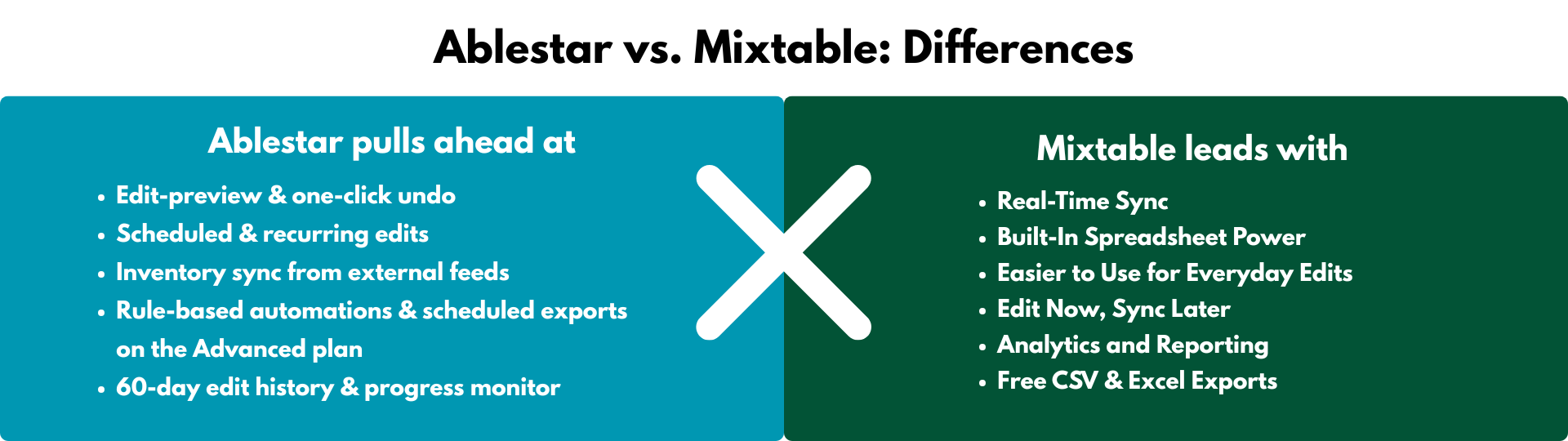
The two applications primarily differ in their user interface, advanced feature sets, and overall store needs. Therefore, a store owner’s choice should depend on their specific priorities, which we discuss below.
Where Ablestar pulls ahead
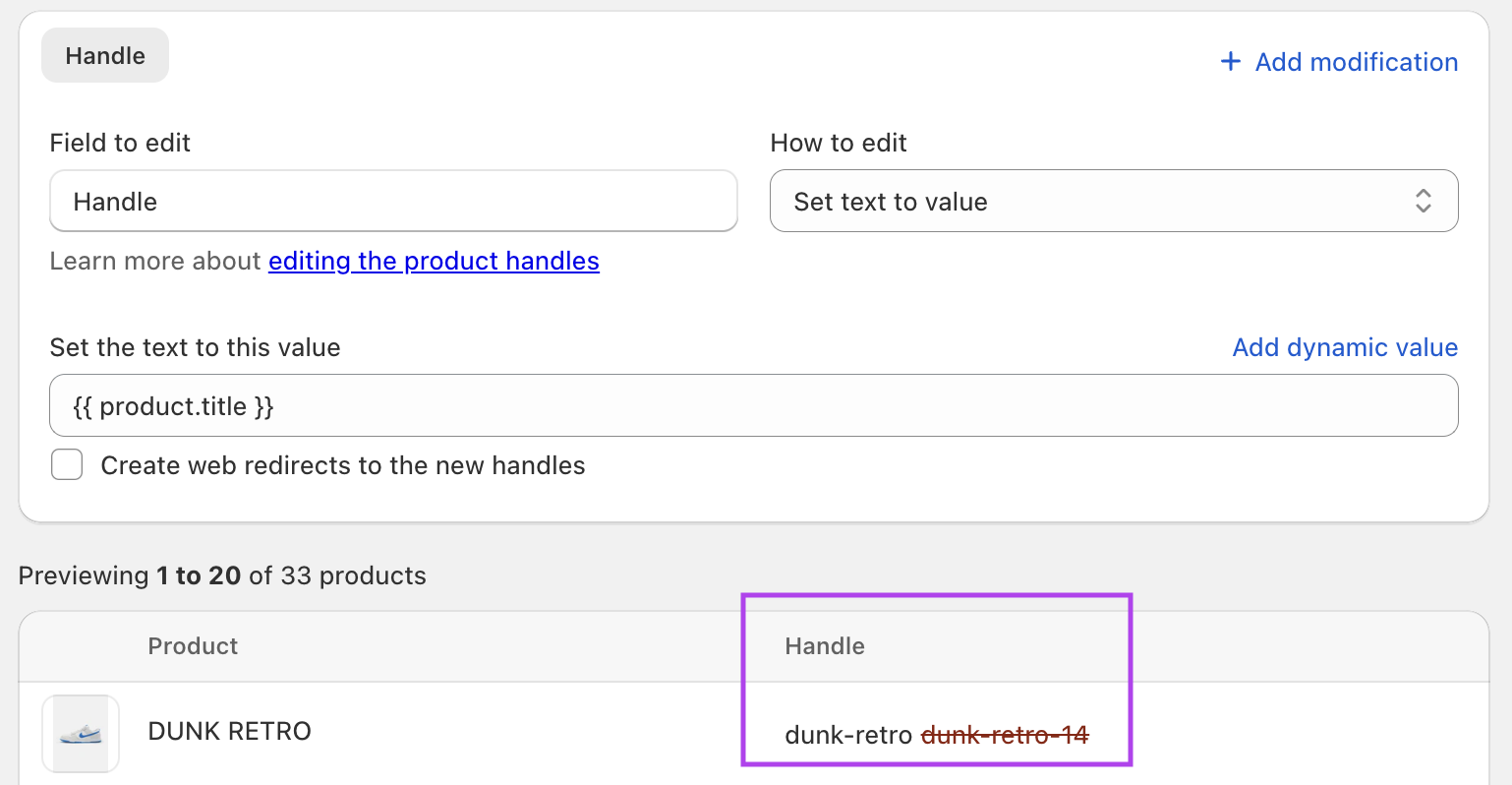
1. Edit preview and one-click undo
See the exact changes before they go live and roll them back instantly if needed.
 2. Scheduled & recurring edits
Automate price changes, seasonal tags, or any bulk update on a calendar so you can “set it and forget it.”
3. Inventory sync from external feeds
Keep stock levels aligned with suppliers without the need for custom scripts. Works with sources from Google Drive, Dropbox, and FTP/URL.
4. Rule-based automations & scheduled exports
On the Advanced plan give power users granular, event-driven control.
5. CSV/Excel upload flexibility \
Import almost any spreadsheet as-is, with no column re-mapping required, making it handy for migrations.
6. 60-day edit history & progress monitor
Make audits and team oversight straightforward.
Where Mixtable leads
1. Real-Time Sync
Mixtable syncs with Shopify automatically. Any change in Shopify appears in your spreadsheet instantly, and any edits you make can be pushed back to Shopify with one click—no need for file exports or imports. Power users and developers can combine data, write calculations, and spot errors instantly—no waiting for a task to complete
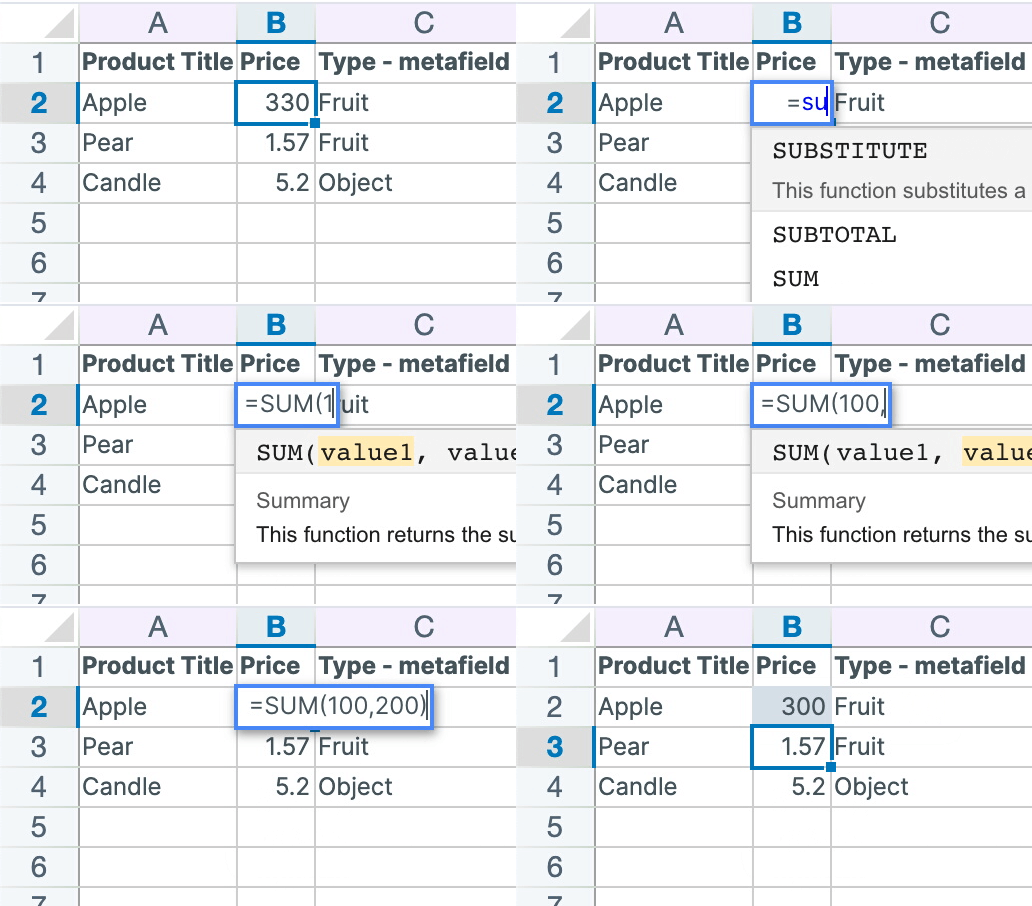
2. Built-In Spreadsheet Power
Mixtable feels like Excel inside your Shopify store. You can use filters, calculations, and formulas, like in Excel, e.g. SUM, VLOOKUP, ROUND, CONCAT, create lookup tables, etc., for complex price or SEO adjustments without a proprietary rule builder directly in the sheet, then sync the results to Shopify. No switching tools or manual formatting.
3. Easier to Use for Everyday Edits
Add variants, tags, or collections using dropdowns and built-in pickers. You don’t need to memorize or copy-paste Shopify IDs — Mixtable helps you do it faster and with fewer errors.
4. Edit Now, Sync Later
You can make multiple small changes across products, then review and sync them all at once. No need to prep a massive file in advance.
5. Analytics and Reporting
Mixtable includes Mixtable Analytics Spreadsheet that lets you build reports using Shopify data. You can create dedicated reporting worksheets or blend Shopify data with other data sources—all within the same spreadsheet.
6. Free CSV & Excel Exports
You can export any worksheet to CSV or Excel at no extra cost. Developer-friendly and JSON-ready. Perfect for sharing with your team or archiving changes.
Merchants and development teams who live in spreadsheets need granular control (formulas, filters, ad-hoc pivots) or want a single workspace that handles editing and reporting while keeping an always-on export option. They would benefit significantly from Mixtable.
Pricing comparison: Ablestar vs. Mixtable
In terms of pricing, Ablestar and Mixtable both have FREE plans. While Ablestar’s plans’ prices vary depending on the features they include, all Mixtable plans have the same features, and the pricing is tied to the Shopify plan you use.
-
Ablestar’s pricing varies based on features – Basic plan is a flat $30 per month for unlimited edits; Advanced is $60 with the extra automation toolbox.
- Starter ($0) - 10 Product Limit - Edits, Export & Import
- Basic ($30/month)
- Advanced ($60/month)
- Professional ($120/month)
-
Mixtable’s pricing is based on your Shopify plan - All paid plans have the same features and offer a free trial. The FREE plan provides import/export functionality, enabling you to customize the data you want to export.
- Free ($0) - unlimited export/import jobs
- Basic ($15/month)
- Shopify & Advanced ($35/month)
- Shopify Plus ($49/month)
Conclusion
In summary, both Ablestar Bulk Product Editor and Mixtable Spreadsheet Editor are highly valued Shopify applications designed to streamline and automate bulk product editing, significantly saving merchants time and enhancing operational efficiency. Ultimately, the choice between them hinges on a merchant’s specific needs: Ablestar for its scheduling flexibility, and Mixtable for its spreadsheet functionality and advanced formula-driven capabilities.